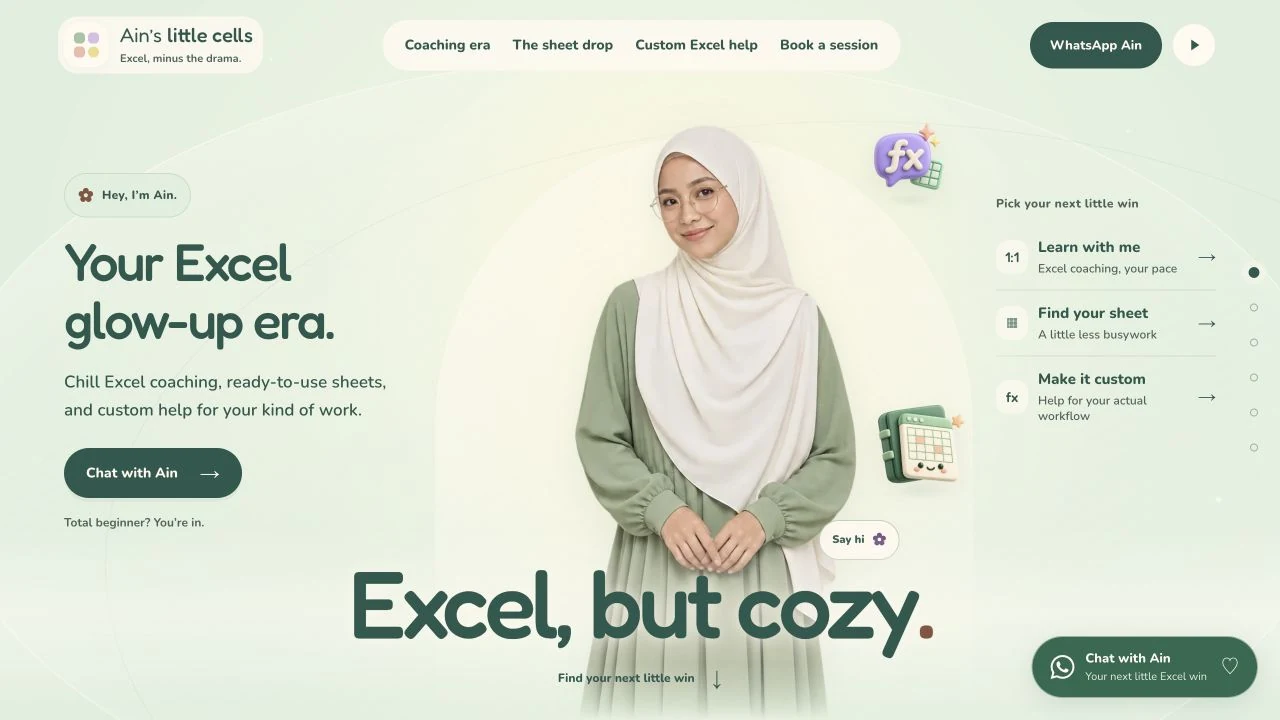
Three needs, three journeys.
The website separates coaching, templates and custom Excel help. Each journey explains the support available and the next step. Coaching has a booking path; templates and custom work lead to a WhatsApp discussion.
Show the experience before the enquiry.
Interactive workbook previews let visitors change example values and see totals or statuses update. Examples cover budgeting, project progress and content planning. A workbook rescue comparison shows the same numbers with more consistent names, dates and amounts.
The previews use labelled sample data. They explain the experience without exposing customer files or records.
Booking as an operational workflow.
Visitors choose an available slot, enter their details and receive confirmation on the website. The journey also provides a private booking link, calendar download and cancellation. The public calendar shows time occupancy without displaying customer details.
Slots and month availability depend on the live schedule. Check the website for current availability. The booking flow does not collect payment on the website.
Implementation evidence: conflicts, retries and privacy.
On 3 November 2026, 29 local calendar and booking API checks passed using isolated test data. Scenarios covered two requests competing for a slot, identical retries, cancellation, closed dates and Malaysia time boundaries.
These checks support the implementation behaviour described here. They are not customer booking totals, measured administration savings or proof of email receipt. No test booking was created on the production calendar.
- Two requests for the same slot produce one confirmation.
- An identical retry does not create a second booking.
- A valid cancellation releases the slot under the time rules.
- Public availability does not expose customer details.
What applies to another service business?
When customers need to choose a time, plan availability, confirmation and cancellation together. For services that are hard to picture, use an interactive example that is safe to explore.
The screenshot shows the actual homepage. Sales uplift, administration time savings and booking totals are not published in this note. Do not make test bookings on the live calendar; explore without submitting details.
The customer journey, step by step.
- 1Choose the support
- 2Choose an available slot
- 3Keep the confirmation
- 4Manage cancellation
This journey summarises inspectable website and implementation behaviour. It does not represent customer statistics or sales outcomes.
Sources & evidence
Checked on 3 November 2026. Consult the provider for current details.
Ain’s Little Cells public website ↗